


Victron Smart Solar App Guides
Learn to manage your solar system with our straightforward tutorials. These guides cover the essentials of the Victron Connect app, guiding you to easily monitor and adjust your individual setup.
VictronConnect SmartShunt Tutorial
Learn to monitor your solar system effectively with the VictronConnect SmartShunt app. Ideal for users at any level.
Time Stamps
00:00:00 – Introduction to Victron Shunt Tutorial
Wayne introduces the Victron shunt and begins the mini tech talk, highlighting the intent to review basic operations and health indicators of the solar system.
00:00:31 – Battery Charge Level Indication
Explanation of the battery ‘fuel gauge’, displaying a 78% charge, and an overview of the main metrics including voltage, current charging rate, and wattage.
00:00:59 – Energy Consumption Metrics
Discussion of energy usage statistics since the last full charge, the significance of the amperage reading, and its utility in identifying high consumption devices.
00:01:29 – App Interface Overview
Walkthrough of the Victron shunt app interface, focusing on the ‘Status’, ‘History’, and ‘Trends’ tabs and their functionalities.
00:01:53 – Analyzing System Health via App
Delving into the ‘History’ tab to compare discharged energy against charged energy and why the latter should ideally be higher for a healthy system.
00:02:33 – Diagnosing Energy Discrepancies
How to interpret the energy metrics for potential problems if the charged energy falls below the discharged energy or the gap narrows over time.
00:03:02 – Proactive Monitoring for System Integrity
Explaining how keeping track of the difference between charged and discharged kilowatt-hours can serve as a predictive tool for system health.
00:03:28 – Closing Thoughts and Upcoming Content
Conclusion of the current guide with a preview of an upcoming video on solar controllers for a comprehensive understanding of the system’s health.
Setting Up A Shunt: Lead & Lithium Batteries
Discover how to correctly set up a shunt for both lead and lithium iron phosphate batteries (LiFePO4), ensuring your solar setup operates efficiently.
Time Stamps
00:00:00 – Video Introduction
Introduction to the shunt setup guide, emphasizing the applicability for both lithium and lead batteries.
00:00:22 – Identifying the Shunt on the System
Locating the BMV 712 shunt in the system’s gear installed in the motorhome.
00:00:31 – Accessing Shunt Settings
Instruction on entering the settings menu via the cog icon for battery configuration.
00:00:43 – Battery Settings Walkthrough Start
Beginning the walkthrough of battery settings, starting at the top of the menu.
00:00:56 – Setting Battery Capacity for Lithium
Explanation of setting battery capacity values, exemplified by a lithium setup.
00:01:21 – Inputting Battery Capacity Values
Details on how to calculate and input the total battery capacity for the system.
00:01:36 – Adjusting Charged Voltage Settings
Guidance on setting the charged voltage, with a focus on adjustments for lithium batteries.
00:01:54 – Discharge Floor for Battery Protection
Discussing the discharge floor setting and its importance for battery longevity.
00:02:02 – Tail Current Setting Explained
Explanation of the tail current setting and its significance in the charging process.
00:03:02 – Peukert Exponent for Lithium
The importance of the Peukert exponent for lithium batteries and its impact on efficiency.
00:03:17 – Charge Efficiency and Additional Settings
Discussion on charge efficiency for lithium batteries and other standard settings.
00:04:36 – Time to Go Averaging Period
Clarification of the ‘time to go’ averaging period and its role in the display data.
00:05:28 – Understanding the Role of a Shunt
Simplified explanation of a shunt as a measurement device and setting expectations.
00:06:22 – Synchronization Process Clarified
Detailed breakdown of the battery synchronization process and its triggers.
00:07:08 – Criteria for Battery Synchronization
Specific criteria for voltage, tail current, and time necessary to initiate synchronization.
00:08:22 – Observing Sudden Charge Level Changes
Explanation of sudden jumps to 100% charge as part of the battery’s synchronization.
00:09:48 – Synchronization Across Battery Types
Assurance that synchronization settings apply to both lead and lithium batteries.
00:10:15 – Zero Current Calibration for Accurate Measurement
Best practices for ensuring the shunt reads accurately through zero current calibration.
00:12:01 – Finalizing Shunt Configuration
Steps to complete the configuration process for effective battery monitoring.
00:12:06 – Battery State of Charge on Reset Settings
Explaining options for battery state of charge displays after a system reset.
00:14:07 – Choosing the Right Reset Display Option
Recommendations for selecting the state of charge reset options to suit user needs.
00:16:03 – The Importance of the Clear Option for Alerts
The advantage of using the ‘clear’ option as an indicator of unexpected power interruptions.
00:17:06 – Addressing Lead Battery Parameters
Transitioning to discuss the parameter differences when setting up a shunt for lead batteries.
00:18:25 – Configuring Charged Voltage for Lead Batteries
Adjusting charged voltage based on standard lead battery charging stages.
00:19:21 – Lead Battery Discharge Floor and Peukert Exponent
Adjustments for discharge floor and Peukert exponent specific to lead battery types.
00:20:51 – Video Conclusion
Closing the tutorial, reminding viewers to calibrate the shunt regardless of battery type.
Have Any Questions
We’re here to help. If our videos leave you wondering about a specific feature, or if you need assistance with your setup — whether you bought from us or not — we’re all about empowering you with the knowledge you need. Contact us, and let’s get your solar system optimized together.
Articles Referencing Victron
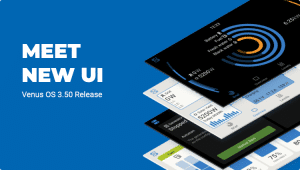
Venus OS 3.50: A Smarter Way to Manage Your System
Discover the new Venus OS 3.50 update. Enjoy a modern interface, enhanced security, and better generator control for seamless energy management.
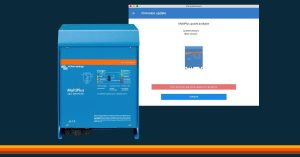
Victron Inverter Charger Firmware Updates
Upgrade your Victron Inverter Charger Firmware - Wayne highlights the importance of staying current with the latest enhancements for energy efficiency and battery protection in your RV.

Don’t Get Hacked | How to Change Your Victron PIN
Discover how to secure your Victron power systems in your motorhome. Learn to change the default Victron PIN, troubleshoot with PUK codes, and ensure uninterrupted power and safety on your travels.
Prioritizing Safety on the Road: Why a Quality Battery with a BMS (Battery Management System) is a Must
Embark on a safe journey with the right battery. Learn from Wayne's first-hand experience about the importance of a Battery Management System (BMS) in your motorhome.