


Venus OS 3.50: A Smarter Way to Manage Your System
Venus OS 3.50 is here, and it’s a game-changer for anyone using a GX device to manage their energy system. Whether you’re out on the road, running an off-grid setup, or just looking for something easier to use, this update ticks a lot of boxes. From a fresh new interface to better security and smoother integrations, there’s a lot to like.
Here’s a look at what’s changed and why it matters.
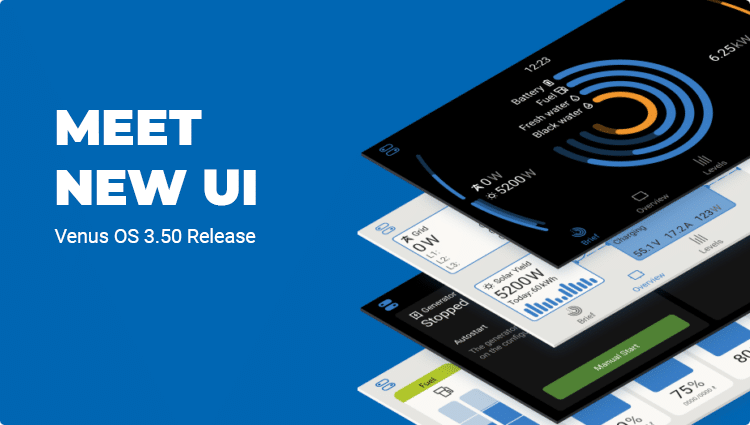
A Fresh, Simplified Interface
The updated design is clean, modern, and much faster to use. It’s easier to find what you need at a glance, whether you’re checking battery levels, monitoring power usage, or adjusting system settings.
Stronger Security for Remote Access
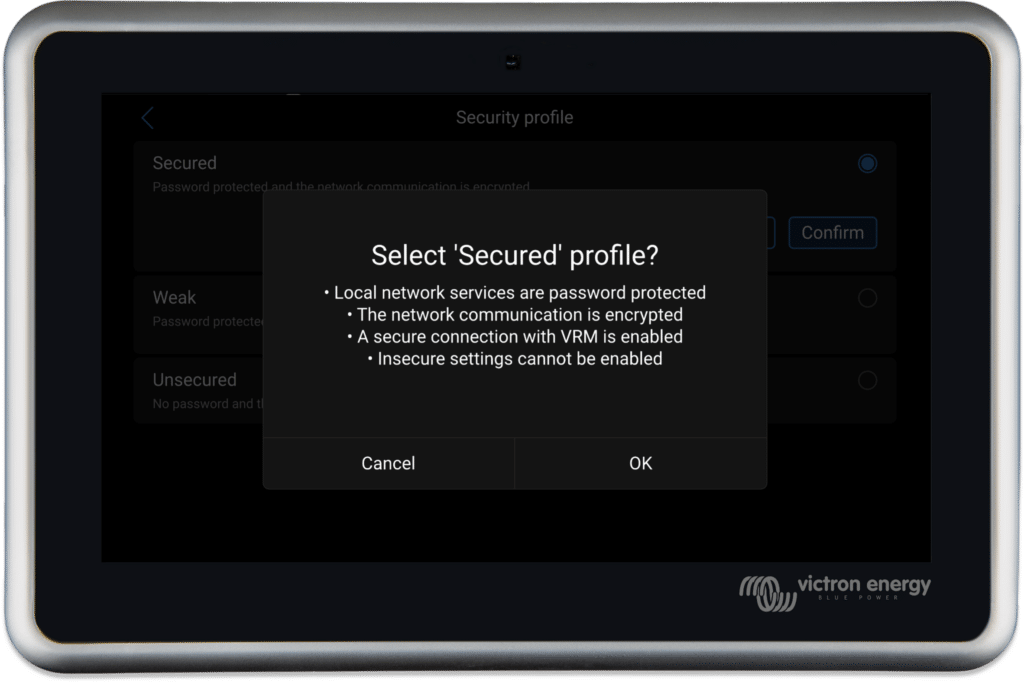
The new update improves network security with HTTPS protection, which makes remote monitoring safer when you’re away from your vehicle. The simplified settings also make it easy to decide how much control you want when connecting to the Victron VRM portal.
Better Generator Integration
The first thing you’ll notice with Venus OS 3.50 is the new interface. It’s faster, more responsive, and makes it a breeze to find what you’re after — whether that’s keeping an eye on your battery levels, checking how much power your solar panels are bringing in, or tweaking a few settings. It’s all designed to save you time and make the system as intuitive as possible.
Smarter Battery Management
One of the big updates here is in security. Venus OS 3.50 adds HTTPS protection for local networks, which is great news if you’re keeping tabs on your system remotely. Plus, the new security settings give you options — whether you want full control, read-only access, or to disconnect from the VRM portal entirely. It’s all about keeping things secure while still giving you flexibility.
What This Means For You
For motorhome and caravan owners, these updates are all about making life easier. The new interface means less time fiddling with settings and more time enjoying the road. The security improvements are ideal if you’re checking in remotely while parked up in a quiet spot. And with better battery compatibility, you’ve got more options when upgrading or expanding your setup.
Ready to Upgrade?
If you’re keen to upgrade or want to know more about how these features fit into your setup, get in touch. We’re always here to help, and you can also bring it up during your next personal power plan.
For those who’d like to dive deeper into the details, the full blog post from Victron Energy is available HERE.
Articles Referencing Victron
Victron Inverter Charger Firmware Updates
Upgrade your Victron Inverter Charger Firmware - Wayne highlights the importance of staying current with the latest enhancements for energy efficiency and battery protection in your RV.

Victron Smart Solar App Guides
Explore Victron Smart Solar App guides for efficient motorhome solar system monitoring. Step-by-step tutorials to optimize your energy management.
Don’t Get Hacked | How to Change Your Victron PIN
Discover how to secure your Victron power systems in your motorhome. Learn to change the default Victron PIN, troubleshoot with PUK codes, and ensure uninterrupted power and safety on your travels.
Prioritizing Safety on the Road: Why a Quality Battery with a BMS (Battery Management System) is a Must
Embark on a safe journey with the right battery. Learn from Wayne's first-hand experience about the importance of a Battery Management System (BMS) in your motorhome.